Track expenses
right inside Telegram
|
the bot does the rest.

OurLifeCosts is a Telegram expense tracker for personal and family budgets. Log an expense in 3 seconds, and the bot saves the confirmed entry to your Google Sheet.

OurLifeCosts dashboard showing expenses by category
keyboard_voice
New Feature
Voice Expense Logging

Everything you need
right inside Telegram

No extra apps. Just your Google Sheet and Telegram.
keyboard_voice
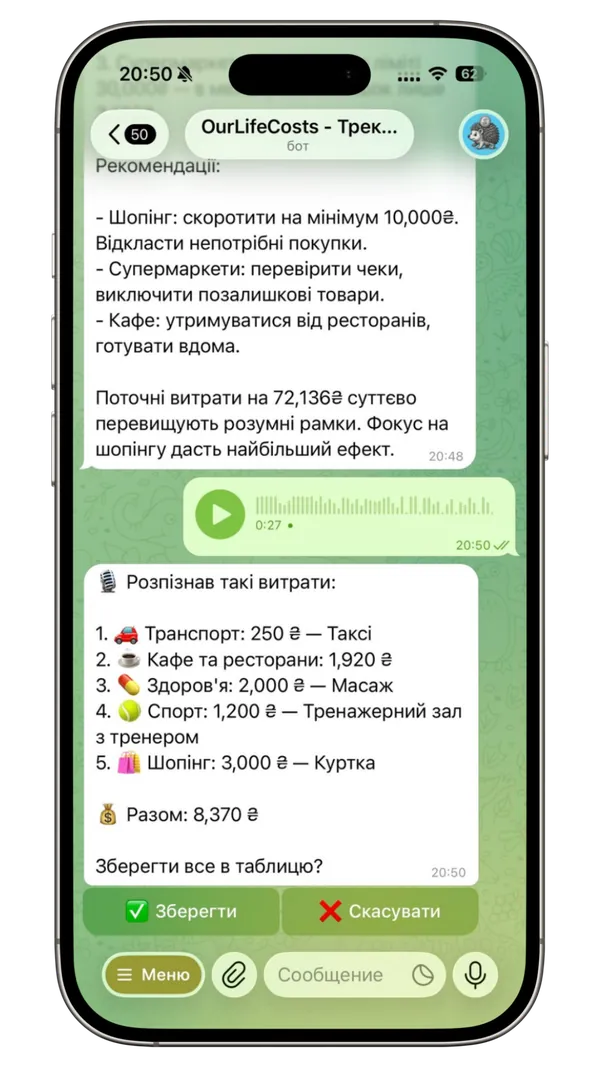
Voice expense logging
bar_chart
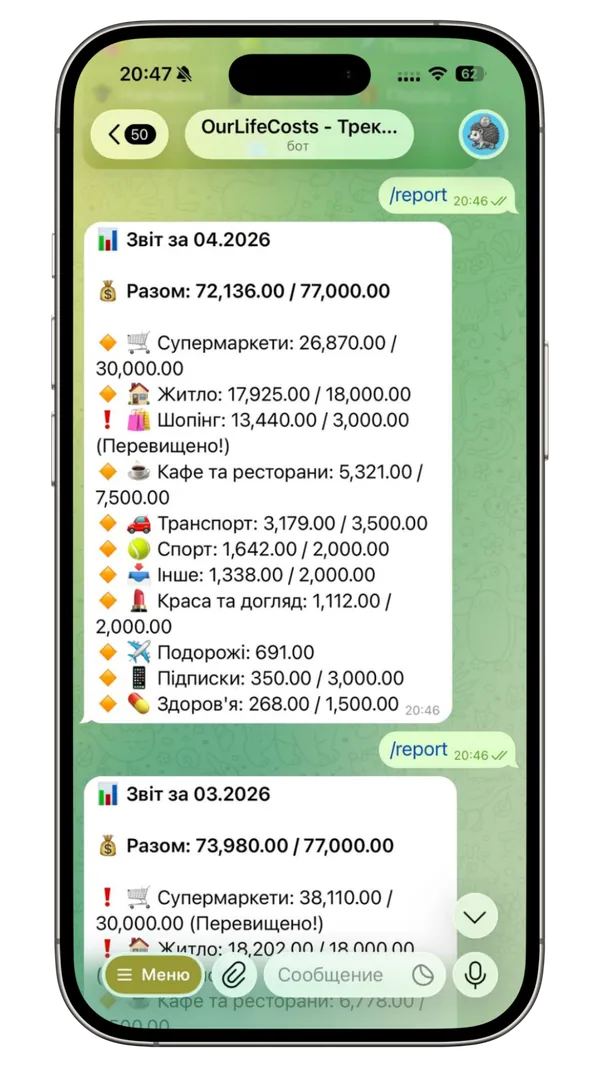
Monthly report
account_balance_wallet
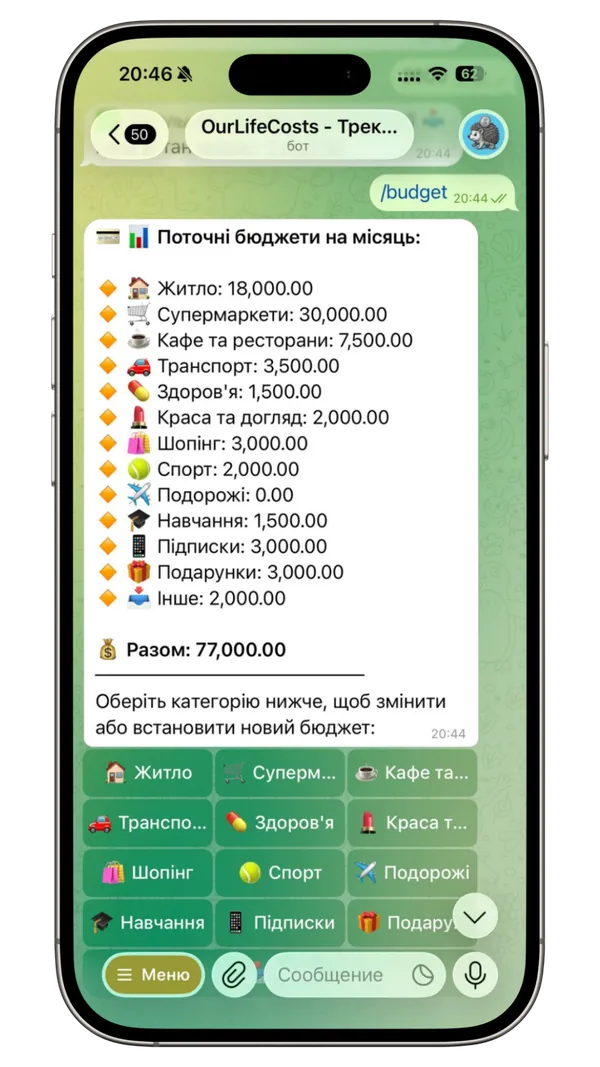
Budget settings
notifications_active
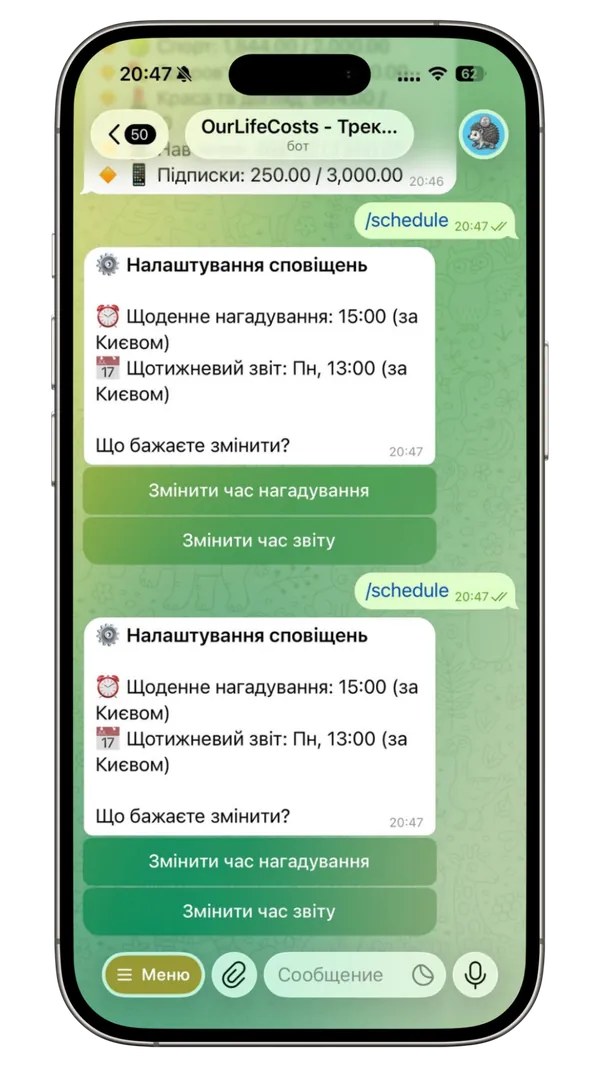
Flexible reminders
auto_awesome
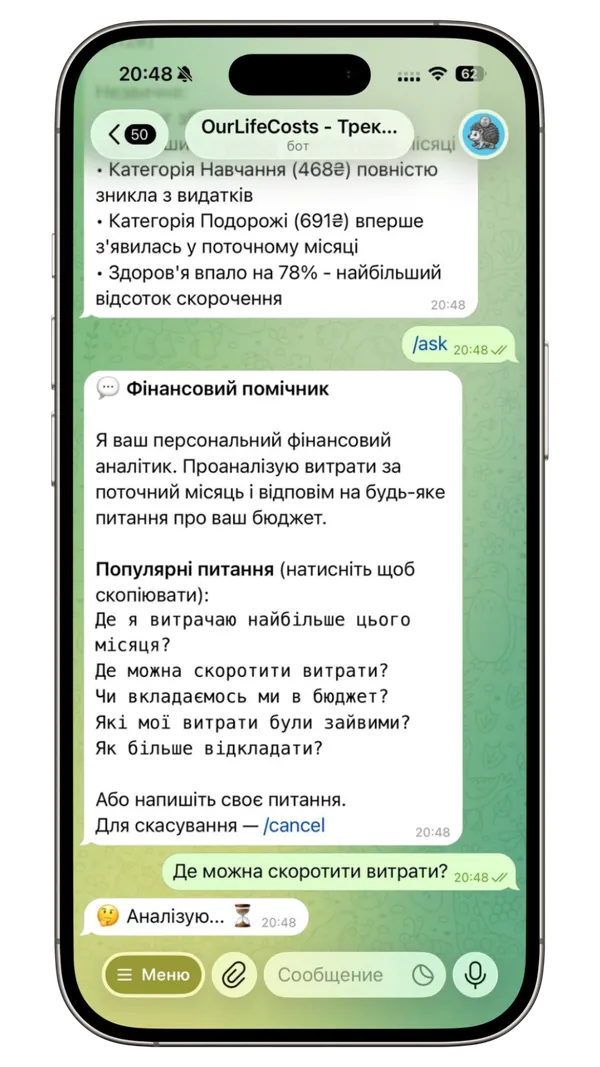
AI financial assistant New
compare_arrows
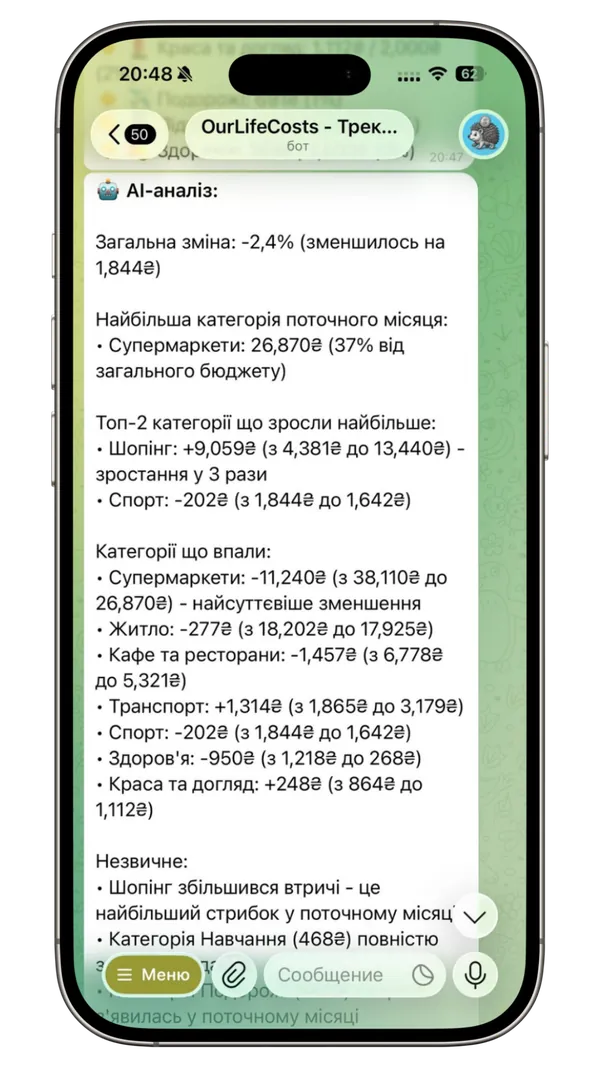
AI analysis and comparison New
Logging several expenses by voice in the OurLifeCosts Telegram bot Monthly Telegram expense report with category totals Family budget settings by expense category Daily reminder and weekly report settings AI assistant analyzing personal expenses AI comparison of expenses across two months

From Chaos to Control

Experience the difference with automated accounting in your life.

BEFORE OURLIFECOSTS

Manual & Confusing

  • close"Where did $50 go?" at the end of the week
  • close Stressful month-end calculations from a messy chat
  • close Arguments with partners over the budget
sentiment_dissatisfied
WITH OURLIFECOSTS

Peace & Lower Spending

  • check_circle Instant expense logging by voice or text
  • check_circleEntire family accounting in one spreadsheet
  • check_circleInstant alerts if you exceed your budget
  • check_circleSee how close you are to your limits every day β€” and spend more mindfully, no diets or restrictions
sentiment_very_satisfied

Telegram expense tracking features

Everything you need to track a personal or family budget in one Telegram bot.

mic

Voice Input

Carrying groceries? Just say: "Whole Foods 45 dollars groceries". The bot identifies the category and logs it correctly.

group_add

Shared Access

Invite your partner with a personal link and use one family together. New shared expenses go to the selected family sheet, and either member can leave through Settings.

auto_graph

In Your Google Sheet

Your main expense history stays in your Google Sheet. The service keeps a protected technical cache on its server for fast reports and dashboards, while the sheet remains the source of your records.

notifications_active

Reminders

Forget to log? The bot gently reminds you in the evening, ensuring no penny goes uncounted.

bar_chart

Weekly Summary

Each week the bot sends the total and a category breakdown for the previous week straight to Telegram β€” concise and automatic.

How to Start?

No technical skills needed. Setup takes 2 minutes.

01

Join the Bot

Find @OurLifeCosts_bot on Telegram and hit 'Start' to begin the setup process.

02

Connect Spreadsheet

Create a new spreadsheet, add the bot's email as an editor, and it will configure everything for you.

03

Add a Partner

Add a spouse, family member, or roommate to the bot for joint budget management.

04

Choose Categories

Configure your own expense categories directly within the Telegram chat.

05

You're Ready!

Start typing or dictating your expenses and keep track of your finances effortlessly.

Trusted by 10+ users

star star star star star

"Now my boyfriend knows all my spending.
1 star, no more."

Karina, OurLifeCosts beta user
Karina
My Girlfriend
star star star star star

"Finally, a tool that's easy to start using. I saved $20 in the first month."

Vsevolod, OurLifeCosts beta user
Vsevolod
Beta User
star star star star star

"Voice input is great. I just open the bot, dictate all my bank expenses, and it takes 2 mins for the whole week."

Yulia, OurLifeCosts beta user
Yulia
Beta User

Frequently Asked Questions

Everything you wanted to know about how OurLifeCosts works

Is it safe? Will the bot access my passwords or emails?

expand_more
No. You grant editor access to the OurLifeCosts service account only for the specific Google Sheet you choose. The bot does not receive your password, email, or access to other Google Drive files. Your main expense history stays in that sheet; the server also keeps protected technical data and a cache required to operate the bot, reports, and dashboards.

Does the bot understand my language in voice messages?

expand_more
Yes! Thanks to integration with modern AI speech recognition models, OurLifeCosts understands several languages including English and Ukrainian. You can say: "Coffee 5 dollars" or "Gas two thousand" β€” the bot instantly recognizes the amount and category (after your confirmation).

What if I make a mistake in the amount or name?

expand_more
Everything is under control. You can instantly message the corrected amount to the bot. Additionally, since OurLifeCosts syncs with your Google Sheet in real-time, you can go into the sheet and manually edit any cell at any time.

How do I add a partner to a shared budget?

expand_more
In the bot's settings, select β€œAdd Partner” and send the personal invite link. Once confirmed, your partner joins your family and new shared expenses go to one selected sheet. A person can belong to only one family. Either member can leave in Settings; their own expenses are preserved and the bot guides them through the available transfer options.

What if I forget to log an expense?

expand_more
OurLifeCosts helps form a healthy habit. You can set up daily reminders at a time convenient for you. For example, at 9:00 PM, the bot can ask: "Did you remember to log your expenses today?".

Why is the service free? What's the catch?

expand_more
Core features β€” manual expense logging, budgets, reports, reminders, and shared access β€” do not use credits. Optional features such as voice input, the AI assistant, and visual dashboards use credits without a required subscription. A family receives 50 welcome credits valid for 30 days and 20 free credits each month; extra packs are optional. Free credits are used first, while purchased credits do not expire.

What happens to my records if you shut the project down?

expand_more
Your main expense history remains in an ordinary Google Sheet you control, so it does not disappear with the bot. The service also uses a local technical cache, but it is not the only copy of your expenses. You can revoke the service account's access in Google sharing settings.

Can I use it solo, without a partner?

expand_more
Of course. One person already forms their own family in OurLifeCosts and can use it as a personal budget. Later you can invite a partner and choose the shared sheet. Existing sheets are not silently merged: when a transfer is needed, the bot separately asks whether to move only your expenses or shared records too.

How is this better than jotting things in Notes or Excel?

expand_more
You'll log just as quickly β€” but that's where the difference begins. In Notes a number just sits there: nothing counts it and nothing reminds you. Here the bot tallies every category, sends ready-made reports, reminds you to log, and warns you when you're getting close to a limit. You make one move β€” the bot handles the rest of the analytics.

Ready to Take Control of Your Finances?

Master your finances without the effort with OurLifeCosts.

Start for Free

Free core tracking β€’ Instant setup β€’ Main history stays in your spreadsheet